Data flow: Sending documents between Microsoft Intune-managed apps and BlackBerry
Dynamics apps using the BlackBerry BRIDGE app
Microsoft Intune
-managed apps and BlackBerry
Dynamics
apps using the BlackBerry BRIDGE
appThis data flow shows how to share documents that are created in supported
Intune
-managed apps and BlackBerry
Dynamics
apps on Android
and iOS
devices when the BRIDGE
app is installed. In this example, a user creates a new file in Microsoft
Word
and sends the file to the manager for review.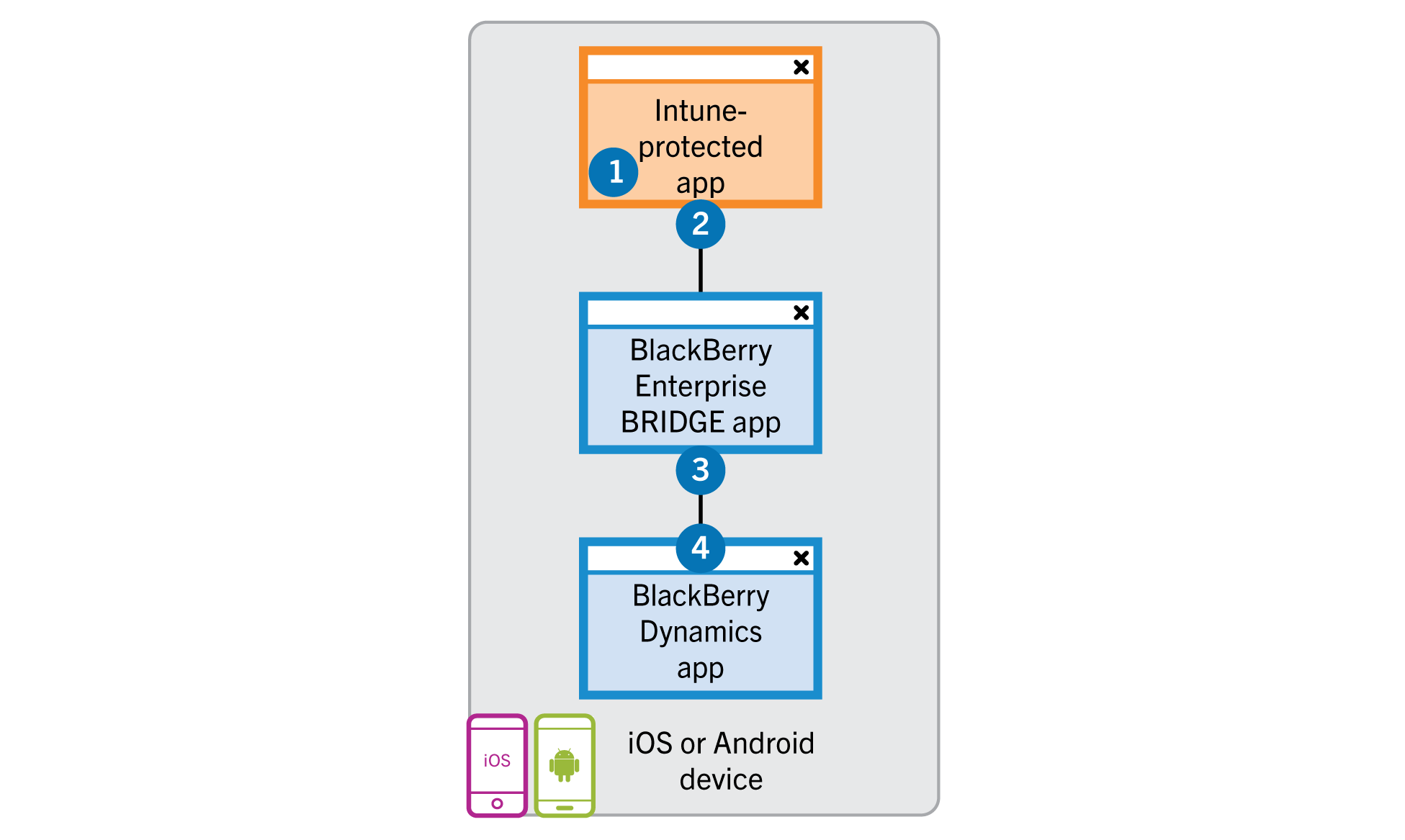
- The user performs the following actions:
- Creates a file inMicrosoft Word.
- Saves a copy of the file in anIntuneprotected area of theIntune-managed app.
- The device sends a copy of the file to theBRIDGEapp over theIntuneprotected channel.
- The user selects to Send Email.
- If theMicrosoft Intuneapp protection policy profile allows it, theBRIDGEapp sends a copy of the file toBlackBerry Workusing the AppKinetics Transfer File service through secured channels to attach to an email (or to save to the LocalDocsfolder or an Enterprise remoteDocslocation). TheBRIDGEapp deletes the copy of the file within theBRIDGEapp after the file transfer is complete.